

Reliable Photo Documentation for Civil Engineering:
GPS-Photodocu App for Site Managers & Foremen
Photos without GPS, without context – and in the end, the evidence is missing?
With SitePlan, every photo is exactly where it belongs:
➔ Georeferenced: Automatic GPS tagging, including timestamp & comments
➔ Organized: Each photo clearly assigned to a project, layer & location
➔ Report-ready: Photo reports with coordinates & Google Maps link – in seconds
Over 20,000 projects digitized







100%
GPS-tagged
Coordinates, viewing direction & map position – for complete documentation
0%
photo chaos
Fotos direkt im Projekt statt verstreut in WhatsApp-Chats
100%
legally reliable
All photos automatically organized, assigned & verifiable at any time
3
clicks to proof
PDF report in seconds – with logo, coordinates & timestamp
GPS-Photo Docu
With SitePlan, construction photos don’t end up somewhere—they’re saved exactly where they were taken: geo-referenced via GPS. Whether on the integrated satellite map or in geo-referenced PDF plans.
This saves time, prevents misunderstandings, and reduces coordination efforts between site and office.
Ideal for daily reports, approvals, evidence documentation, and compliance in civil engineering.
➔ All plans and photos live on every team member’s smartphone
➔ GPS-tagging of photos on maps or georeferenced plans
➔ Legally reliable photo reports with all information – generated in seconds
GPS Navigation in Plans & Maps
Via the app, users can navigate in (PDF) plans or the Google satellite map – including GPS position. Ideal for precise orientation and documentation
GPS Photo Documentation
Photos are automatically GPS-tagged – including viewing direction and timestamp. Each capture location is displayed precisely on satellite maps or plans
Comments & Descriptions
Optionally, each photo can be supplemented with an individual description – for context, special details, or intended use
Assign Photos to Layers
Layers can be freely created (e.g., “sub-base,” “utility line,” “asphalt”). Photos can be assigned directly to layers at the moment of capture – including color coding
Sketch Directly on Photos
In the mobile app, photos can be annotated with sketches: lines, arrows, rectangles, circles, and text notes can be added – ideal for dimensions, instructions, or visual highlights directly in the image
Task management
Multiple project members work together in the same project – whether in the office or on site. Everyone sees all photos, plans, and comments – fully structured
Real-Time Sync with Office
All photos are instantly visible in the web portal after capture – no manual uploads or transfers needed. Everyone on the project is always up to date
PDF-Photo Report in One Click
Photos are automatically compiled into a multi-page PDF report – including cover sheet, company logo, timestamp, coordinates, and Google Maps link for each photo

“Photo chaos – I can’t keep track of site docu anymore!”
Thousands of photos – but none where they belong. On a phone, via WhatsApp, in an email attachment.
The foreman took the picture. But when? What was it again? And where exactly? What was the context?
By the time the right images are found, sorted, and prepared, half the day is gone.
Or the proof needed for billing is missing altogether – and nothing gets paid.

Unsorted, unusable – the photo documentation dilemma in civil engineering
➔ Photos are taken somewhere – but not assigned to a location or trade
➔ No GPS, no timestamp – so no real proof
➔ Images scattered across phones, USB sticks, or WhatsApp groups
➔ In the office, context is missing – what was photographed, when, where, and why?
➔ Documentation costs time & nerves – and change orders fail due to missing evidence

More billable work. Less effort.
With SitePlan, every photo becomes a digital proof:
GPS-tagged & legally reliable
Each image automatically includes coordinates, timestamp, and comments
Live overview from the office
See on the map when and where photos were taken on site – in real time
Automatically organized
Photos are stored with category, author & date – easily filterable and searchable
Proof in seconds
Generate PDF reports with logo, coordinates & location link at the push of a button
No rework
No manual sorting, no searching, no loss of control
For Site Managers and Executives:
✔ Full control of construction progress
✔ Complete documentation for billing
✔ More billable work secured
✔ Higher margins – with minimal docu-effort

Fotos per WhatsApp direkt ins Projekt
Baustellenfotos können auch einfach per WhatsApp direkt an SitePlan gesendet werden – etwa von Mitarbeitern, Baggerfahrern, Nachunternehmern oder externen Partnern.
Einmal eingeladen, senden Beteiligte ihre Fotos einfach über WhatsApp. Die Bilder landen automatisch im zugeordneten SitePlan-Projekt und werden anhand ihrer GPS-Daten auf Karte und Plänen automatisch verortet.
So bleibt die Fotodokumentation vollständig und zentral an einem Ort – ohne manuelles Übertragen oder Einsortieren.
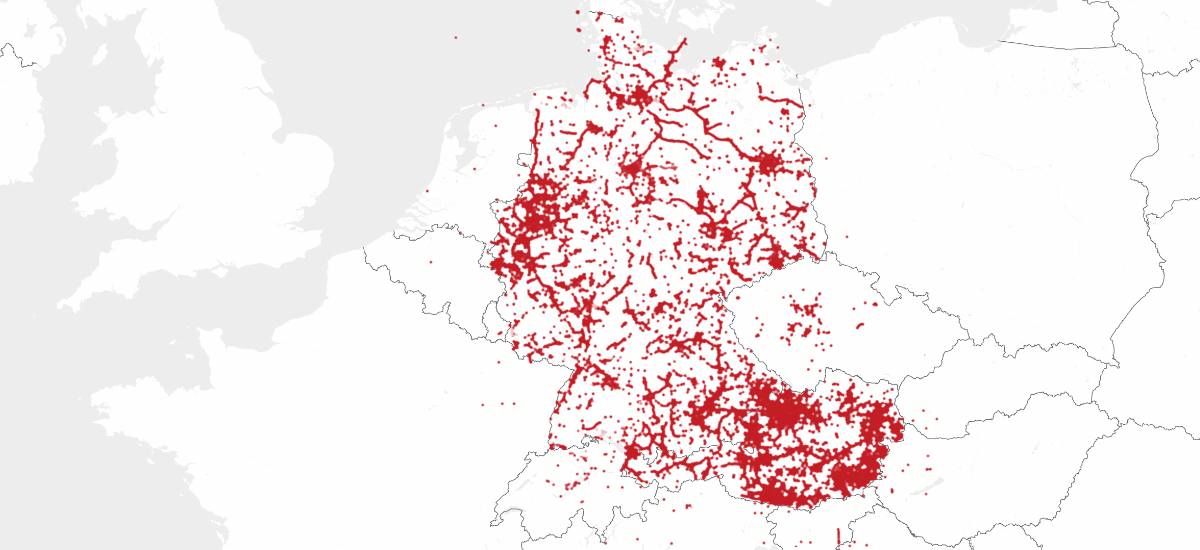
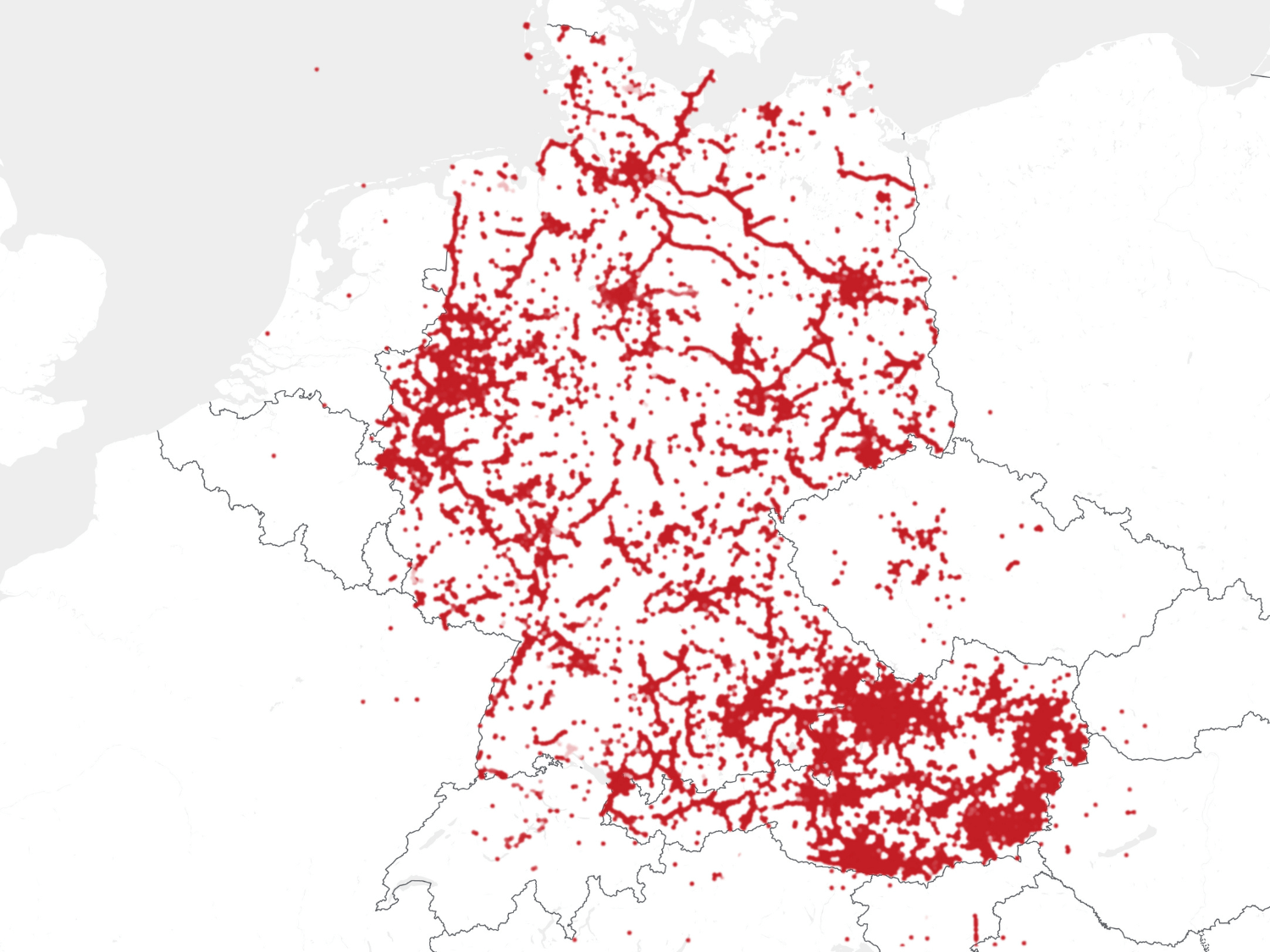
Used throughout Germany and Austria
2,000+ active users | 20,000+ projects | 4 million + points & photos
> 2,000 active users
> 20,000 projects
> 4 million points/photos
Testimonials
Nicolas – Site Manager, PFAFFINGER
Photos and notes are directly assigned – nothing gets lost anymore.
At DB Bahnbau Gruppe, we use SitePlan as a service unit tool. Site inspection reports can be created significantly faster, and the precise GPS positioning provides the ideal foundation for planning.
⭐️ ⭐️ ⭐️ ⭐️ ⭐️
Andreas Saft – Head of Equipment Division, DB Bahnbau Group
With the integrated photo gallery and georeferenced plans
SitePlan provides a simplified overview of the construction site. The app is a must-have for every foreman, site technician, and site manager in civil engineering. On top of that, it offers many other helpful tools. Since we started using it, we can’t imagine working without it.
⭐️ ⭐️ ⭐️ ⭐️ ⭐️
Alex Todo – Civil Engineering Technician, Held & Francke
With SitePlan, our site and photo documentation runs seamlessly.
Our foremen can independently document utilities and handle simple staking – no extensive training needed. All photos and data are digitally secured and centrally accessible. As a site manager, I have everything at my fingertips – without being on site.
⭐️ ⭐️ ⭐️ ⭐️ ⭐️
Dominik Schmidtzkonz – Site Manager, Pfaffinger Bau
New utility lines are independently photo-documented and measured by the foreman.
For civil engineering documentation, SitePlan has become indispensable. This way, I’m always up to date in the office and also have a solid basis for billing.
⭐️ ⭐️ ⭐️ ⭐️ ⭐️
Maximilian Rutar – Site Manager, STRABAG
SitePlan delivers all information, including GPS photo documentation, directly to the tablet.
It is especially helpful for linear construction projects – all parties work with the same, up-to-date data. Before SitePlan, making plans georeferenced and available on site was extremely time-consuming. Now, plans are both georeferenced and mobile – what used to be cumbersome and error-prone is now simple and reliable.
⭐️ ⭐️ ⭐️ ⭐️ ⭐️
Christoph Schwarz – Site Manager, Bernard Group (Pipelines & Plant Construction)
The georeferenced photos are an excellent tool
for securing evidence as well as for assigning and documenting construction sites. In addition, the surveying works flawlessly, and the tilt sensor saves a great deal of time during staking and measurement. The handling is very easy, and several people can work simultaneously on the same project. With the integration of utility plans, external lines are always available. We use the app every day.
⭐️ ⭐️ ⭐️ ⭐️ ⭐️
Simon Kling – Site Manager, Pfaffinger Bau

Get to know SitePlan – hands-on and personal
In just 30 minutes, we’ll show you how your teams can capture seamless GPS photo documentation on site – automatically organized, legally reliable, and immediately usable for billing, handover, or proof.
Free of charge and without obligation.


GDPR compliant & ISO 27001 certified
For the highest security standards
Frequently Asked Questions about GPS-Photo-Docu
SitePlan is trusted by companies across civil engineering, utility construction, roadworks, and railway infrastructure – from small contractors to large corporations.
Clients include construction firms, engineering offices, and public authorities focused on digitizing their site operations.
We’re happy to share specific references during a meeting or demo.
Yes. SitePlan runs on any Android or iOS device. Without a GNSS antenna, it's ideal for GPS photo documentation. With a GNSS antenna, it becomes a full-featured surveying system.
Pricing depends on your use case.
We offer flexible license models – whether you need software only or a complete package including GNSS antenna, accessories, and correction data.
We’ll walk you through all Options in a short call to find the right fit – clearly and transparently. in a short appointment - tailored to your actual needs.
In SitePlan you can save as many photos per project as you like.
The platform is also designed for large civil engineering and infrastructure projects - whether 100 or 10,000 images.
Thanks to filter and show/hide functions, the documentation remains clear and quick to use.
Yes. Each photo can be linked to a project, layer (e.g., trade or construction section), and optionally a comment. This way, all images remain structured and easy to find.
No.
The app is deliberately designed to be radically simple, so that even less tech-savvy users can get started after just a few minutes.
The aim: no hurdles, no training required - simply open, photograph and document.
No. GPS photo documentation works without an external antenna – directly with your smartphone. A GNSS antenna is only required if you want to create centimeter-accurate measurements.
With just a few clicks you can create a photo report as a PDF - including company logo, project information, images with commentary, coordinates, time stamp, Google Maps link and photo overview plan.
Yes, SitePlan can also be used without an Internet connection.
Photos, measuring points and notes are saved locally and automatically synchronized as soon as the network is available again.
Maps and the satellite map are also available offline, provided they have been loaded beforehand. GPS reception itself is independent of the mobile network and continues to work reliably.
Ideal for civil engineering construction sites in rural areas or where reception is poor.
Only team members with the appropriate project authorization.
Yes, in SitePlan all project participants work on the same project.
Photos, notes and changes are visible to the entire team in real time - whether on the construction site or in the office. This ensures transparency, avoids loss of information and facilitates coordination within the project.
SitePlan is not just storage – it’s a structured workflow:
✓ Georeferenced photos
✓ Project and layer assignment
✓ Instantly filterable & exportable
✓ Legally reliable & audit-proof – with no rework
Yes. All data (measurements, points, reports, photos) can be exported in formats like DXF, CSV, SHP, or PDF – ready for import into CAD and GIS tools. We also offer an API interface for integration with other systems.
GPS photos from SitePlan can be used in several ways:
- PDF photo reports can be created directly and forwarded to clients or for project storage, for example.
- Photos can be downloaded locally. All relevant metadata is retained - including GPS coordinates, date, creator, layer and description.
- An API is available for further system integration, which can be used to automatically transfer photos and associated information to other systems.
All photos and reports are transmitted in encrypted form and stored in the SitePlan cloud. This means that no data is lost - not even due to device failures or confusing sharing via messenger services.
Your data is your property – never shared with third parties.
The data is stored in European data centers and remains entirely in the possession of your company.
SitePlan is also ISO 27001 certified and therefore meets recognized standards for data protection and information security.
- Free trial (software only):
Test all app features free for 30 days on your own smartphone or tablet.
- Pilot project with full system (including GNSS):
Want to test SitePlan for real-world surveying and staking? We’ll provide a fully equipped rental kit – GNSS antenna, accessories, and correction data included.
Let’s have a quick call to find the best option for your needs – no risk, no obligation.
