Solar park project in Congo - a leap through clarity [Case Study]
04.12.2025
Frequently asked questions about GPS Photodocumentation
09.02.2026

No more photo chaos. With these 9 app functions for GPS photo documentation, every photo is automatically located, labeled and saved as evidence.
When photos have no probative value
A classic scenario that many site managers and foremen are familiar with:
„When was the photo taken?“ - „Where was it taken?“ - „Who took it?“
If location data or time stamps are missing, evidence is also missing. And in civil engineering, this can quickly become expensive.
But that doesn't have to be the case.
Civil engineering photo documentary with a system
With the GPS photo documentation from SitePlan puts an end to photo chaos and hours of searching for photos.
The Site plan app offers practical functions that fundamentally speed up civil engineering documentation.
1. automatic GPS positioning - no more guesswork about the recording location

Every photo taken is automatically provided with GPS coordinates - directly where it was taken.
This allows you to see exactly where the manhole, the route or the course of the pipeline has been documented.
No guesswork, no confusion of building sections - every shot is spot on.
2. photos directly visible in the plan

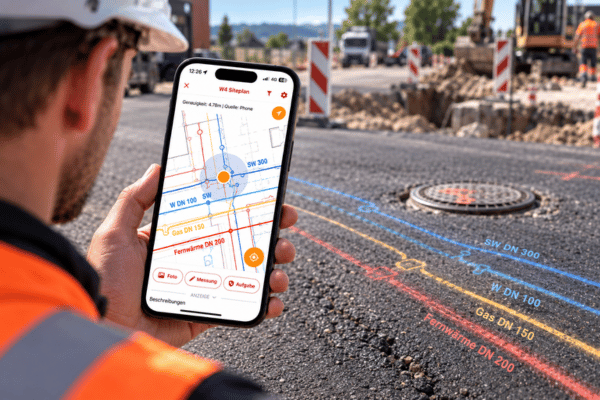
The SitePlan app shows photos, measuring points and tasks directly in the georeferenced plan or on the satellite map. With the typical Google Maps logic, you can recognize your position live on the construction site.
A glance at the smartphone is enough to see what has already been done - and where documentation is still required.
3. time stamp for each proof
All photos are saved with an exact time stamp.
This allows you to track at any time when a service was carried out or a condition documented - a decisive advantage for invoicing, supplements or disputes with the client.
4. add photo directly to the task
Whether pipe laying, manhole cover or asphalt edge: a photo can be immediately assigned to the appropriate task or position.
This keeps everything neatly linked - from the image to the report. You save yourself later rework in the office because the documentation is already complete on site.
5. sketching & text annotations directly on photos

Mark damage, directions or special features directly on the image. With the sketch and text function, you can insert arrows, lines or notes - ideal for quickly explaining complex situations.
A clear visual reference replaces long descriptions - and everyone in the office immediately understands what it's all about.
6. photo report in 3 clicks - no more rework in the office

After completing a construction phase, you create a PDF photo report with just a few clicks. All photos including GPS data, time stamps and comments are inserted automatically.
No copying together, no layout - simply select the report, export, done. This creates an audit-proof record in seconds.
7. EPSG coordinate output in the task and photo report

For projects with exact position references (e.g. according to EPSG:25832 or 31287), you can output the EPSG coordinates directly in the report.

This is particularly practical if clients or surveyors want to transfer your data to CAD or GIS systems.
8. photo report with individually selectable fields
Not every project needs the same information. You can therefore decide for yourself which fields appear in the report: Date, coordinates, location link, layer, description.
The result is always the right report - compact, clear and tailored to your client.
9. points & photos can be shown/hidden individually

Individual points and photos can be shown and hidden flexibly, even several at once - for example, if you only want to view house connections, pipe runs or a specific day.
The result: maximum overview and significantly less searching.
Frequently Asked Questions about GPS-Photo-Docu
The accuracy depends on the device used.
With a GNSS antenna, SitePlan works in the centimeter range - ideal for billing, supplements or documentation requirements.
Even without an antenna, the photos are located using precise GPS data from the smartphone, which is perfectly sufficient for most construction sections. The photos can also be manually readjusted or finely positioned.
Practically unlimited.
SitePlan is designed for large civil engineering projects - whether 100 or 3,000 photos, the app remains fast and clear.
Filters and show/hide functions allow you to maintain an overview at all times.
Yes, as long as the photos were taken in the app or are imported, coordinates can be assigned retrospectively.
This means that existing photographic material can also be integrated into the digital documentation.
Simple, precise, stress-free - this is what modern construction site documentation looks like
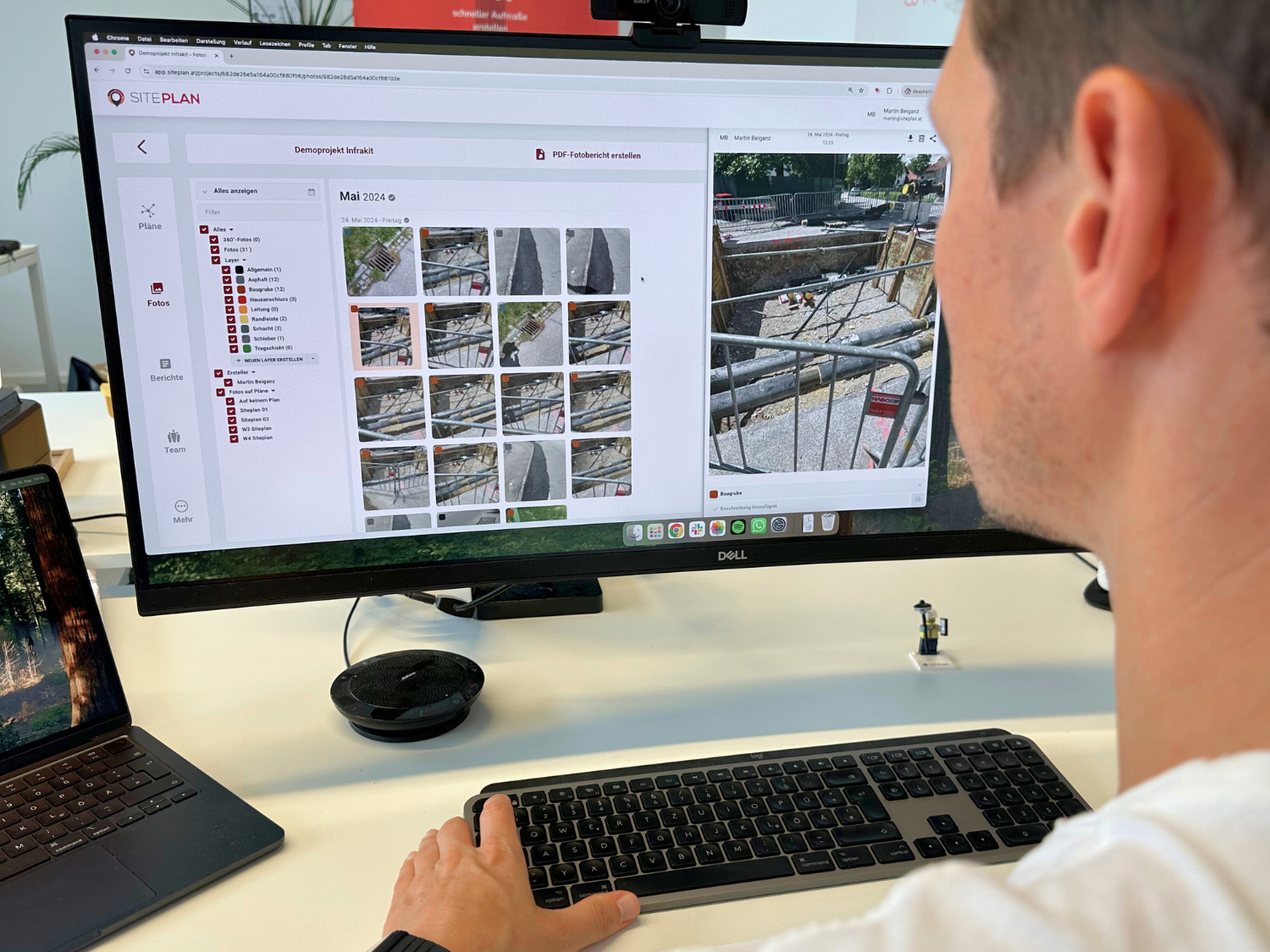
Site managers and foremen can use it to create geo-referenced documentation directly in the plan or on the map, generate verifiable evidence and save hours of rework in the office.
Whether you are documenting asphalt work, pipe runs or pipe connections - SitePlan ensures that everything remains visible, organized and secure as evidence.
Start your free trial now - and experience how easy it is to document your construction sites in an evidence-proof manner.
Expert Knowledge
GPS-Photodocu App for Site Managers & Foremen
12 features that save site managers time and stress every day
Accounting instead of reworking: Measurement report in 3 clicks